AYASKO - Interior Design Studio Website with a Custom CMS
- MY ROLE
- Concept, UI design and full-stack development — from Figma to deployment
- Project type
- Freelance client project
- STACK
- Next.jsReactTypeScriptTailwind CSSPrismaPostgreSQLImageKitnext-intlGoogle OAuthResendVercelFigmaStorybook
- Project status
- In development
- YEAR
- 2026
- LINKS
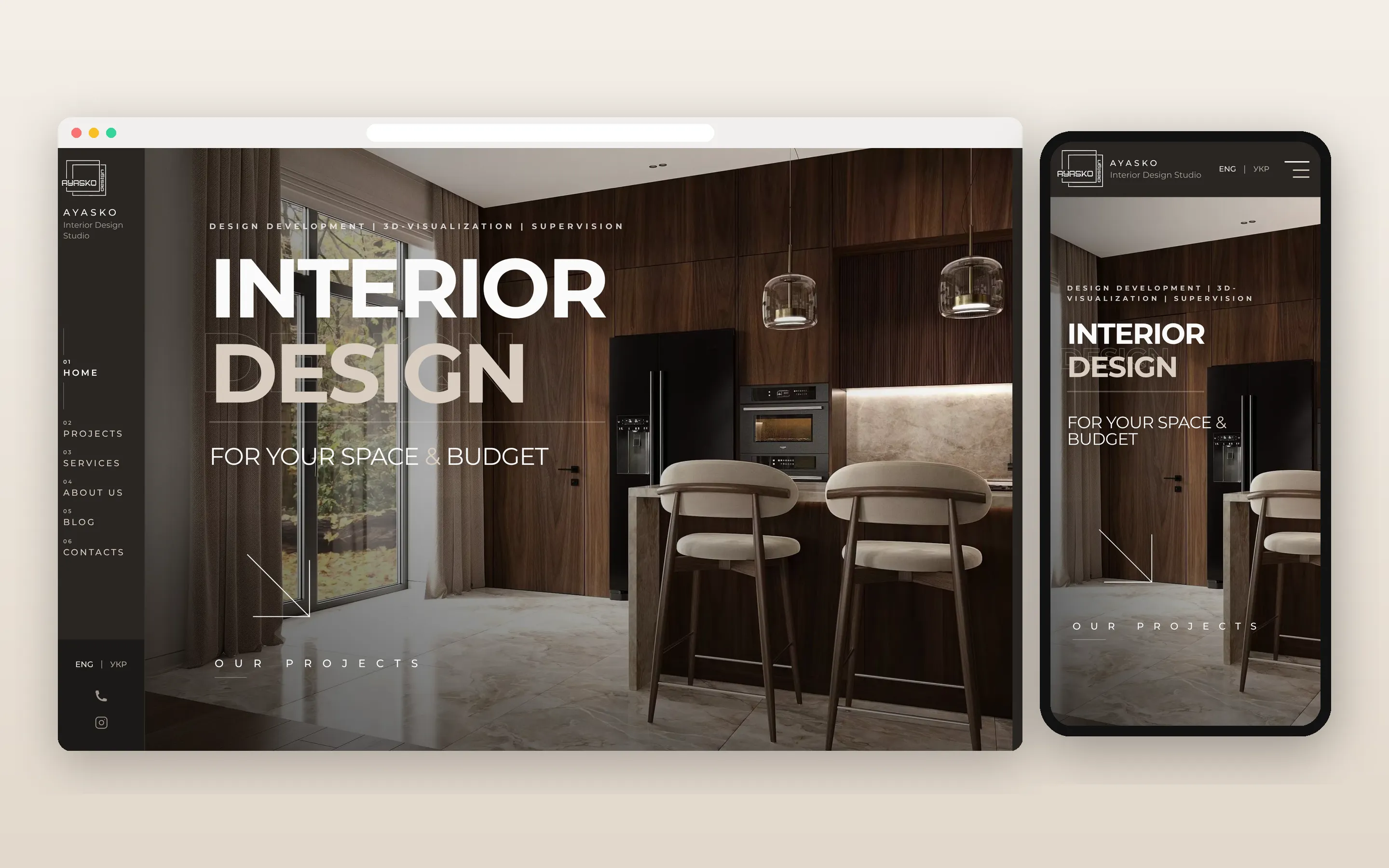
Concept and UI design
I wanted the site to feel like the studio's own work: calm, warm and a little cinematic. The palette is built from deep browns and soft beige taken from their interiors, so photography always stays in the spotlight. Large two-tone headings, thin lines and section numbers give it an editorial rhythm, and a slim vertical sidebar keeps navigation out of the way on desktop.
Every page starts from the same idea — show the space first, then explain. Project pages open with a full-width hero photo, followed by a short brief, colour accents and key facts like area, year and location, and then a gallery grouped by room.
Custom CMS and media library
An interior studio's portfolio changes all the time, so I built a custom CMS instead of hard-coding content. The team signs in with Google or email and can create and can create a project, fill in both language versions, upload photos room by room, choose a cover and publish — without asking me. The admin panel is in Ukrainian, the team's working language.
Images live in a central media library on ImageKit. It shows where each photo is used, so the team can reuse images safely and avoid deleting something that's still on a live page. Blog articles are written and published from the same panel.
Multi-criteria filtering and full-screen galleries
The studio's clients usually come with a specific question: "Have you done a kitchen like this?" or "What would a small flat look like?" So the projects page can be filtered by category, property type, room and accent colour, with search by name. The filters live in the URL, so a filtered view can be sent to a client in one link.
Inside a project, photos are grouped by room and open in a full-screen viewer, so details like materials and lighting are easy to see.
Component system in Storybook
The interface is assembled from reusable components documented in Storybook. Design tokens come first: the colour palette and surface themes for dark and light sections. Then the public site (buttons, cards, filter chips, form fields, the image lightbox) and, separately, the admin panel (navigation, media previews, confirmation dialogs).
Seeing every component and its states in one place kept the design consistent and made it much faster to add new sections. Every component works on both dark and light surfaces, so sections can switch tone without new styles.
Bilingual routing, SEO and contact form
Both language versions have their own URLs, so every page can be shared and found in English and in Ukrainian. Each page has its own metadata and Open Graph tags, and the site generates a sitemap and robots.txt with multilingual SEO support — so links look right both in search results and when shared.
The contact form sends enquiries from potential clients straight to the studio's inbox via Resend.